Customers and their units
Keep each customer, their people and their machines on the Customers page. A quote goes to the customer's contacts, at the customer's discount, and a request can name the customer's unit.
Who: the account admin or the parts manager adds customers. Reps keep the contacts current. When: at setup, and each time a new customer or a new person calls.
#Add a customer
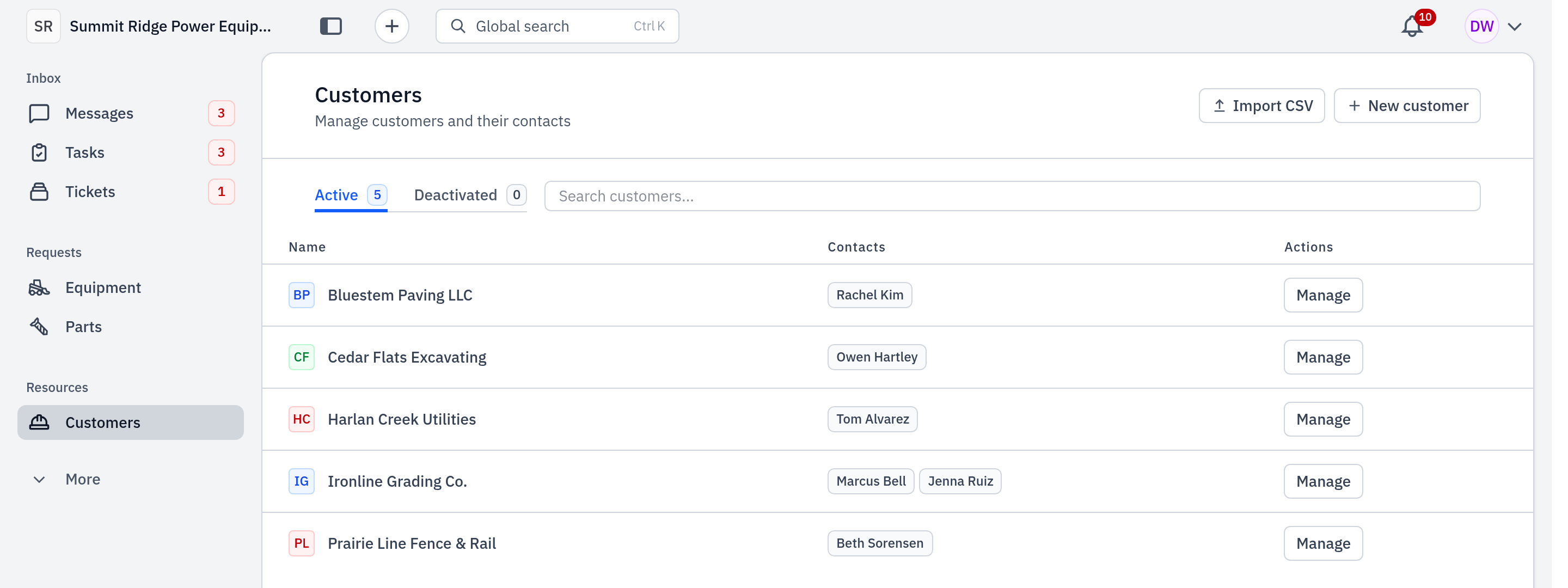
- In the sidebar, click Customers.
- Click New customer. Enter the Customer name, then click Create customer.
- In the customer's row, click Manage.
- Under Customer contacts, enter the person's Name, Email and Phone, then click Add contact. Each contact needs an email or a phone number.
- Under Pricing, enter the customer's Discount off list, % and click Save. Quotes to this customer open each catalog part at its list price less this discount.
- Click Done.
To add many customers at once, click Import CSV, then Download the CSV
template. Fill in one row for each contact (customer_name, contact_name,
contact_email, contact_phone). Repeat a customer's name on more rows to give it
more contacts. Then click Upload & import. An import never changes a contact
that is already there.
#Read a customer's page
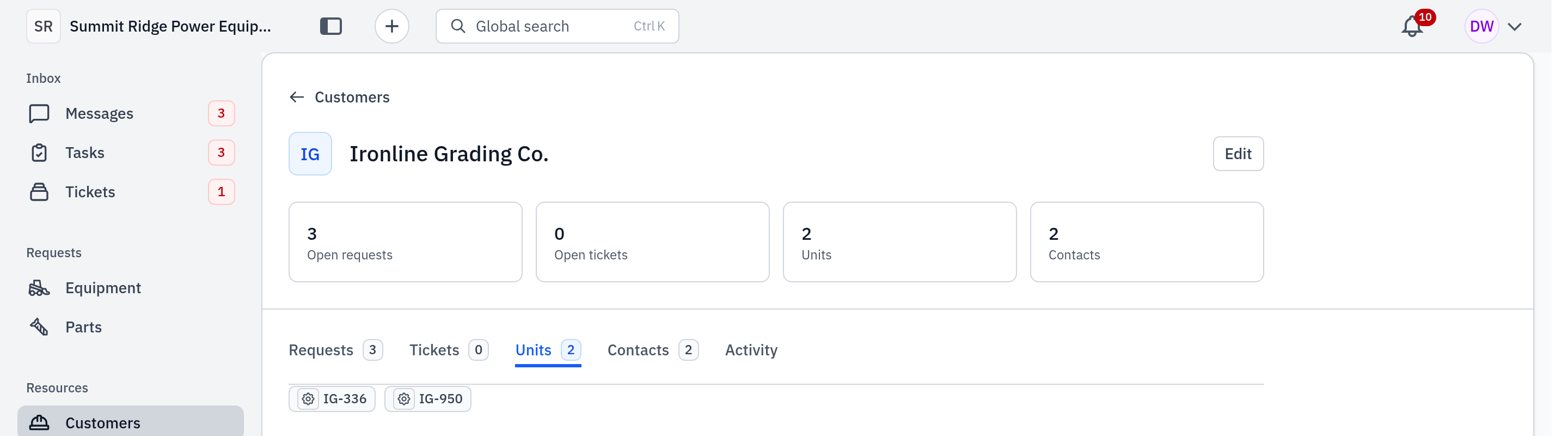
Click the customer's row. The page shows Open requests, Open tickets, Units and Contacts, with tabs for Requests, Tickets, Units, Contacts and Activity. Click Edit to open the same window as Manage.
#Tag a unit with its customer
A unit is a machine: the customer's own, or one you rent to them.
- On a request: in the unit picker (Search fleet…), the customer's units show first. To add a new one, click Add new unit. Gearflow saves it on that customer as customer owned.
- On the unit's page: use Change customer and select the customer.
- For many units: on Units, select the units, click Set customer and select the customer.
A customer-owned unit leaves your Units list. Find it on the customer's page, under Units. A rented unit stays on your list.
#Choose text or email for a contact
You set a contact's channel when you message them. In the message's recipient list, click the person and select Text, Email or Both. Gearflow keeps that choice for later messages. With no choice set, Gearflow uses, in this order: the contact's own notification settings, if they have signed in to Gearflow; else the channel they last used to reach you (a phone call means text and email); else the one channel they have; else email. So set Both for a new contact who wants texts.
#Common mistakes
- A contact with no email and no phone. Gearflow does not save it: "needs an email or a phone number".
- Deleting a customer or contact that is on requests. Gearflow stops you. Click Deactivate on the customer instead; it keeps the history and takes the customer out of the pickers.
- "Texts off (customer replied STOP)". The customer turned off texts. Only the customer can turn them on again, by texting START. Use email.
- "already exists in your customer list". The customer is there already. Search for it.
- No New customer button. Your seat cannot manage customers, or your account is on the free plan. Ask your account admin.
- A new unit from Units → Add unit has no customer. Set the customer on the unit's page after you add it.