Dealer team SOPs · 4 of 8
PO numbers
Get the customer's PO number with their approval. An admin can make a PO number required. Gearflow reads a PO number from a customer's text or email reply and puts it on the request.
Who: the account admin sets the rule once. Reps check the PO on each approved request. When: at setup, then on each approval.
#Make a PO number required (account admin)
- Go to Settings → Account.
- Find PO number on quote approval. The badge reads Optional or Required.
- Click Require a PO number. You see "Customers now enter a PO number to approve your quotes."
- To undo, click Make optional.
The setting is off until you turn it on. To change it, you must be an account admin.

#How the customer gives a PO number
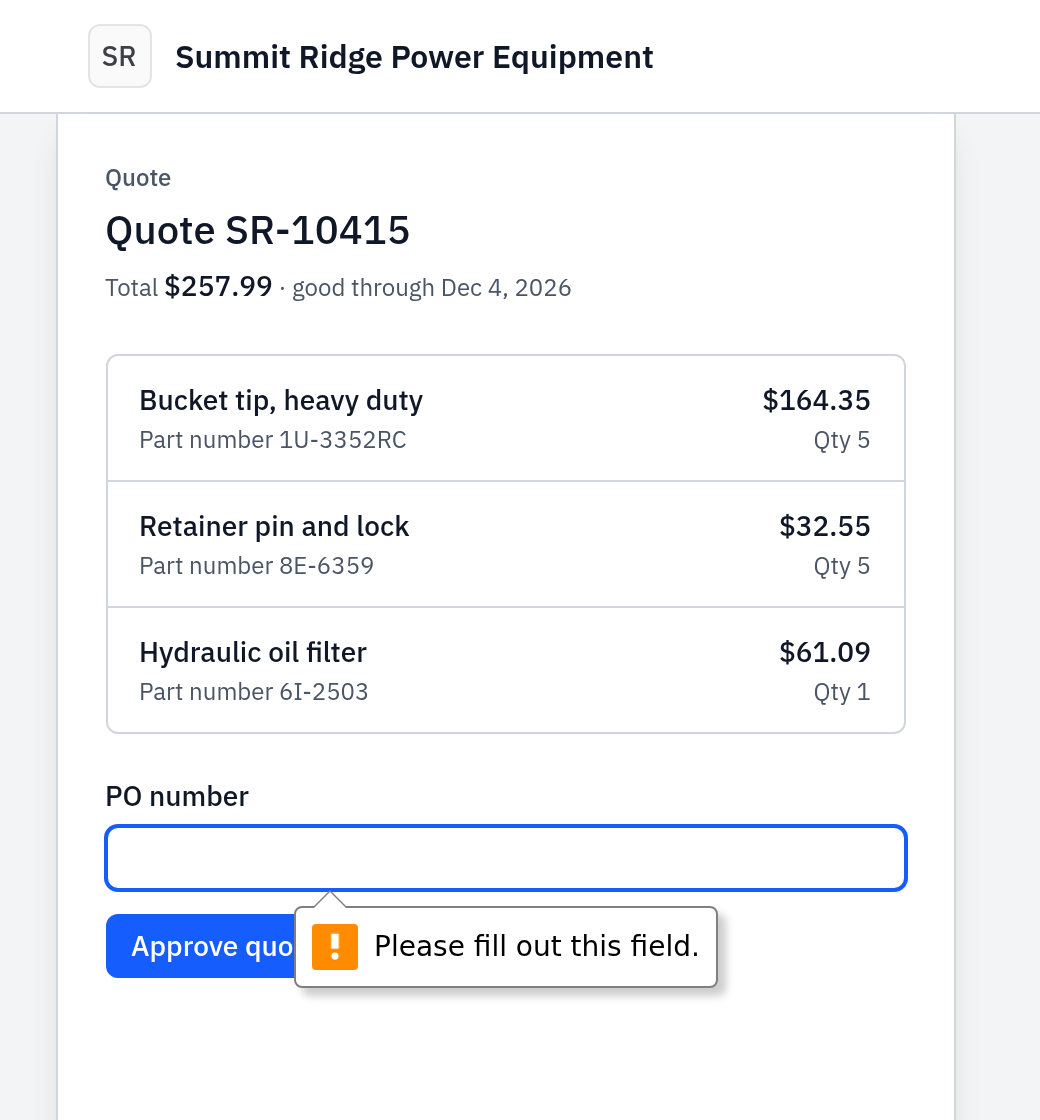
- On the approval page. The field is PO number (optional), or PO number when you require one. If it is required, the page does not let the customer approve until they fill it in.
- In a reply. Gearflow reads these forms: "PO 4512", "PO# 4512", "P.O. number: A-4512", "purchase order 4512", "Our PO number is 4512". The number must hold a digit and have 40 characters or fewer. Gearflow saves it in capital letters.
- Best reply: "Approved, PO 4512" on one line. This records the approval and the PO number at once.
#When a PO is required and the reply has none
- The customer replies "Approved" with no PO number.
- Gearflow does not record the approval yet. It replies in the same thread, as you: "Thanks for approving quote number. Your company needs your PO number to take the order. Reply with your PO number, and we will record your approval." The approval link follows.
- The customer replies "PO 4512". Gearflow records the approval with that PO number.
A customer who approved with no PO number can send it later. A reply of one line with only "PO 4512" fills the PO number on that approval.
#Where the PO number shows
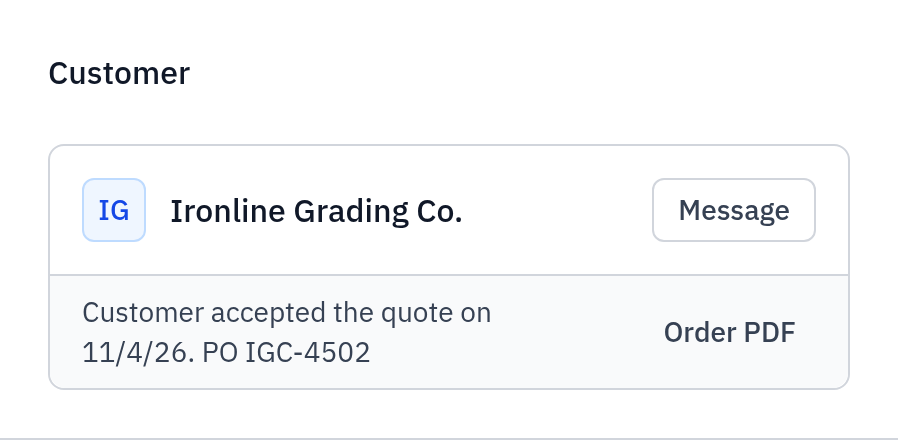
- On the request's Customer card: "Customer accepted the quote on date. PO 4512".
- In the PO column of the Parts list. Search the list by PO number to find the request.
#Common mistakes
- A PO document instead of a number. Gearflow reads the PO number from the words of a reply only. A PO PDF or a photo attached to a reply lands in the thread, but it fills nothing. Read it and ask the customer to reply "Approved, PO number".
- A PO number before the approval. A reply with only "PO 4512" and no earlier yes records nothing. Ask for "Approved, PO 4512", or the approval link.
- A second PO number. A later PO number does not replace the one already on the request.
- The PO is in the quoted part of an email. Gearflow stops reading at the quoted mail ("On … wrote:", "From:", lines that start with ">"). The PO must be in the customer's new text.
- A PO number on a later line with other words. Gearflow reads the first line, then only lines that hold nothing but a PO number. "Approved" then "Our last PO 4410 took a week" gives no PO number.