Quote Upload (PDF → Quote)
A dealer drops a vendor's quote PDF on an open RFQ, the form prefills line by line, the dealer confirms identifiers and prices, submits. Most of the dealer's typing disappears.
#Why this exists
Dealers have a stack of vendor quotes for any given customer RFQ — a Grainger quote, a Cat Parts Depot quote, an H&E quote — and want to repackage one into the customer's preferred format. Typing the same line items into the Quote Builder by hand is the obvious friction. Drop the PDF, get the form prefilled, fix anything the extractor got wrong, send it.
The harder problem hidden inside the easy one: a single line on the source PDF often shows two part numbers — the manufacturer's MPN and the dealer or vendor's SKU. Different dealers see different SKUs for the same part. If the system commits whichever one the document happened to list as the canonical identifier, the same physical part shows up as two unrelated rows in the catalog, and matching across customers stops working.
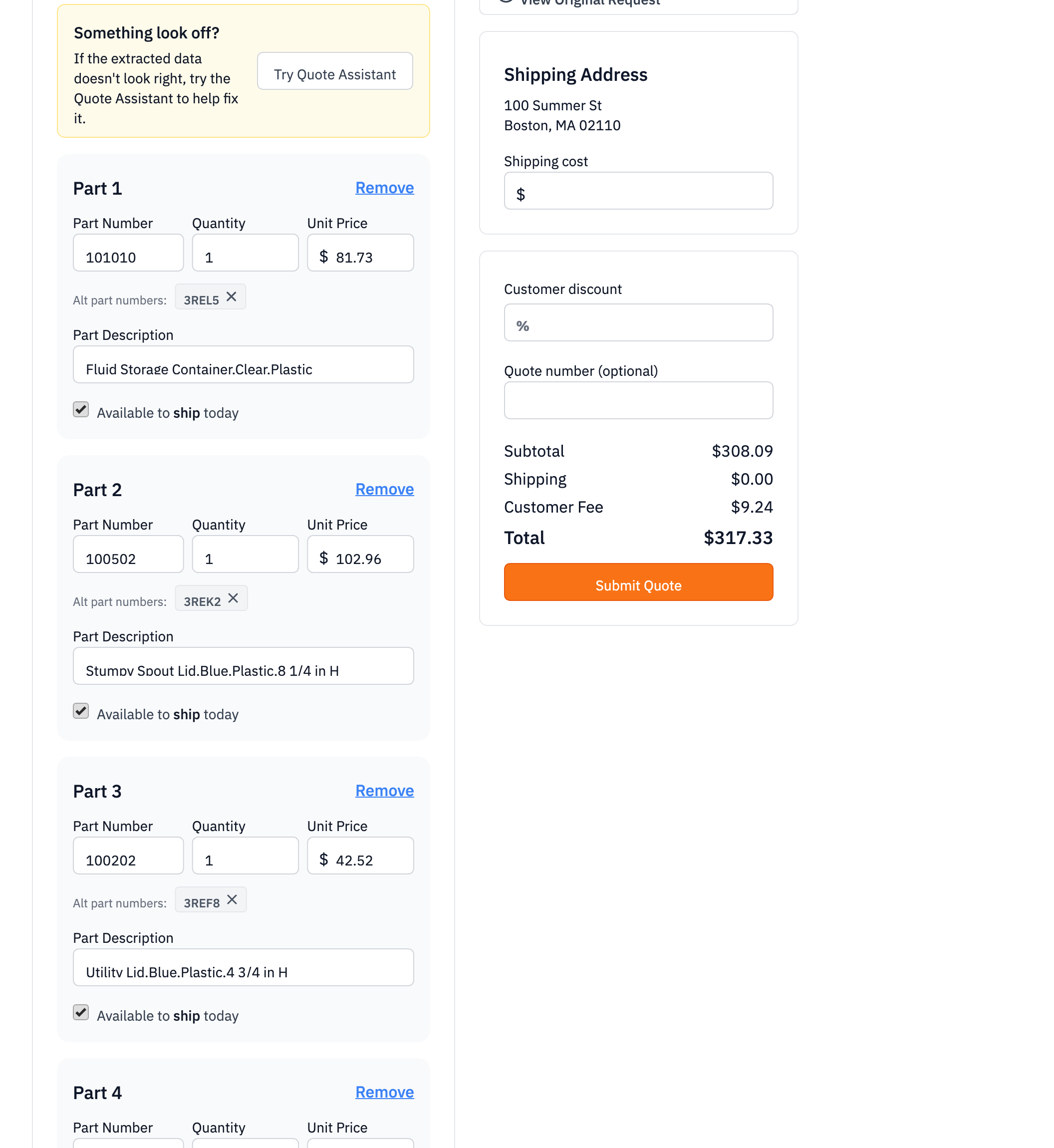
The Sales Hub upload flow handles both pieces: the LLM picks the manufacturer MPN as the primary identifier and presents the vendor SKUs as confirm-or-remove chips below. The dealer is the verifier. The catalog joins on either identifier going forward.
#What you're looking at
#Walkthrough
#Step 1: open the RFQ
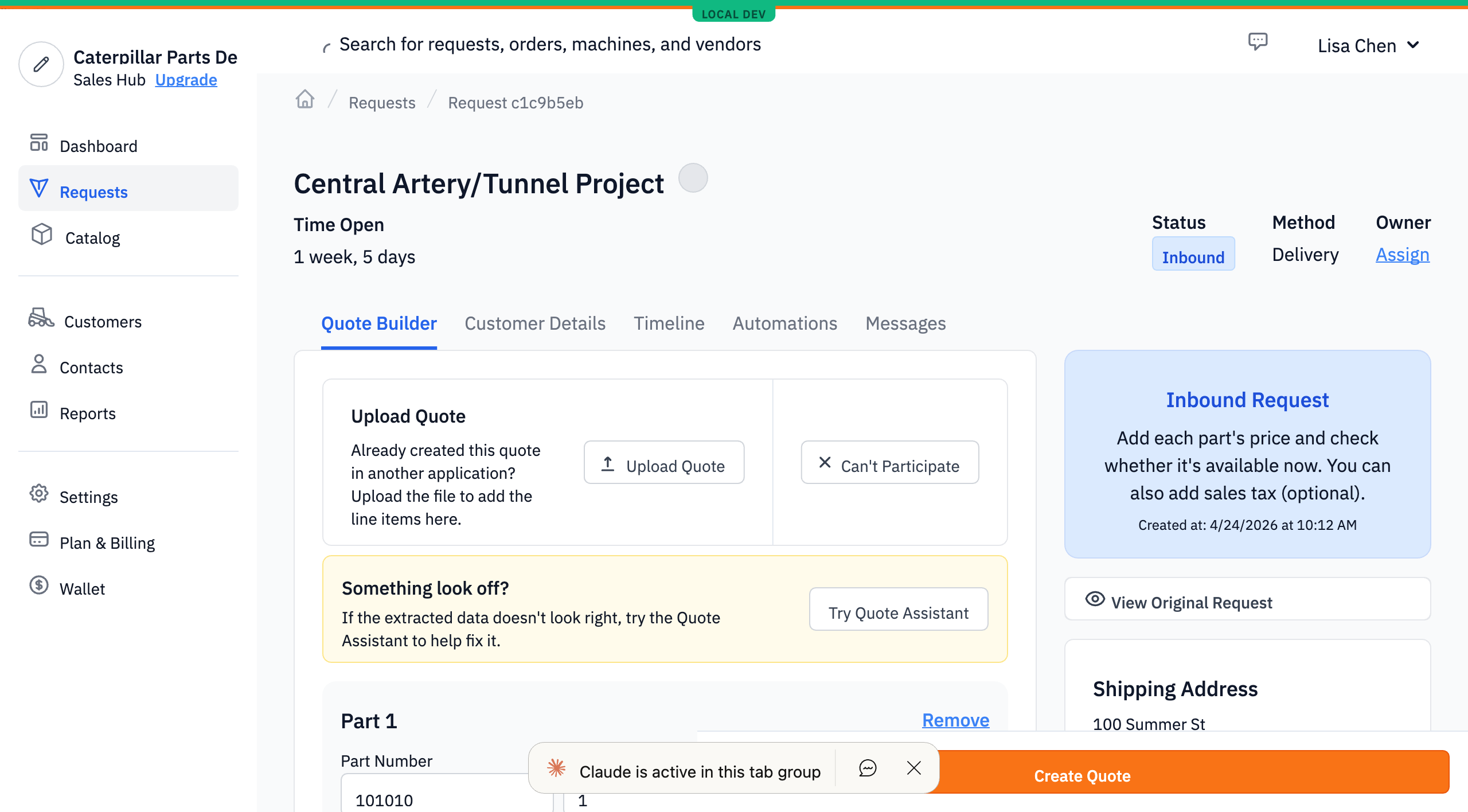
From the Requests list, the dealer opens any open RFQ. The Quote Builder form mounts with the buyer's Part Requests prefilled into the items rows — same as the manual-entry flow.
#Step 2: upload the quote PDF
The dealer clicks Upload Quote and picks a file. Image and PDF inputs both work. The file goes to S3 and the LLM extraction kicks off. The upload modal shows a processing state while the extractor runs — typically 5–20 seconds for a single-page PDF, with a 60-second hard timeout in the form.
#Step 3: review the prefilled lines
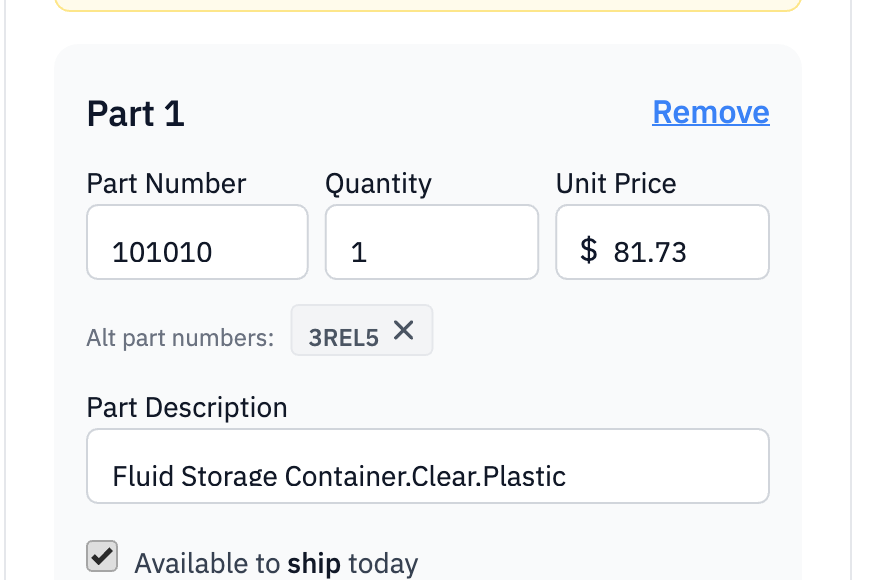
When extraction succeeds, the form's items array is replaced with one row per line item the extractor found. Each row's primary Part Number field is the manufacturer's MPN. If the source document carried alternate identifiers — vendor SKUs, dealer-internal SKUs, anything that wasn't the manufacturer MPN — those appear as gray chips immediately below the part-number input, prefixed with the label "Alt part numbers:".
#Step 4: confirm or remove alts
Each chip has an X. Clicking it removes that alternate from the line. The chip row disappears entirely if the dealer removes every chip, or if the extractor found no alts on that line. There is no affordance to add a new alt — the design is "extractor proposes, dealer confirms." Adding alts manually is out of scope for v1.
#Step 5: submit
The dealer fills in the rest of the form (customer, delivery method, prices, quantities) and clicks Submit Quote. The chips that survived submission travel along — the form serializes altPartNumbers for each line into the create-quote mutation.
#What the catalog does with the alts
The submitted quote's line items resolve to dealer-store products via a two-pass match against the catalog. The first pass tries to match the primary part number against existing rows' primary identifier. If that fails, the second pass widens to "match either the primary or any alt against either column" on existing rows.
The practical consequence: once a part has been quoted with both identifiers — say 100502 as the primary and 3REL5 as the alt — every future upload that names either identifier resolves to the same catalog row. A second dealer uploading a quote that lists 3REL5 alone matches the same row. A buyer searching catalog by 100502 finds it. The catalog stays unified across the variations of how each customer sees the part.
On the dealer side, when the lookup creates a fresh catalog row (no existing match in either pass), the first chip the dealer left in place gets persisted as the alternate identifier on the new row. Subsequent quotes for the same part inherit that match.
#Tips
- Alts are extracted, not added by hand. The chip surface is read-only-add: chips only appear from extraction; there's no + button. A dealer typing rows into the Quote Builder by hand has no way to attach alts retroactively to those rows.
- Single alt slot is a real limitation. The catalog row stores one alternate, not a list. A part with three identifiers — primary, vendor SKU A, vendor SKU B — first uploaded as
(primary, [A])will miss future lookups that name only B. Uncommon but real. - Existing items get overwritten on upload. If the dealer started typing rows into the form and then uploaded a PDF, the typed rows are replaced wholesale. Worth knowing so a stray click doesn't blow away typed work.
- The buyer never sees the alts. The buyer's view of the quote in Parts Hub Pro shows only the primary identifier. Alts are a dealer-side construct that influence catalog matching; they're not part of the buyer's vocabulary.