Called-in requests
When a customer phones, log the request in Gearflow while you talk, and name the customer on it. From then on, the customer gets your quote and order updates, and their replies land on the request.
Who: counter reps and anyone who answers the phone. When: during or right after the call.
#Log a request a customer phoned in
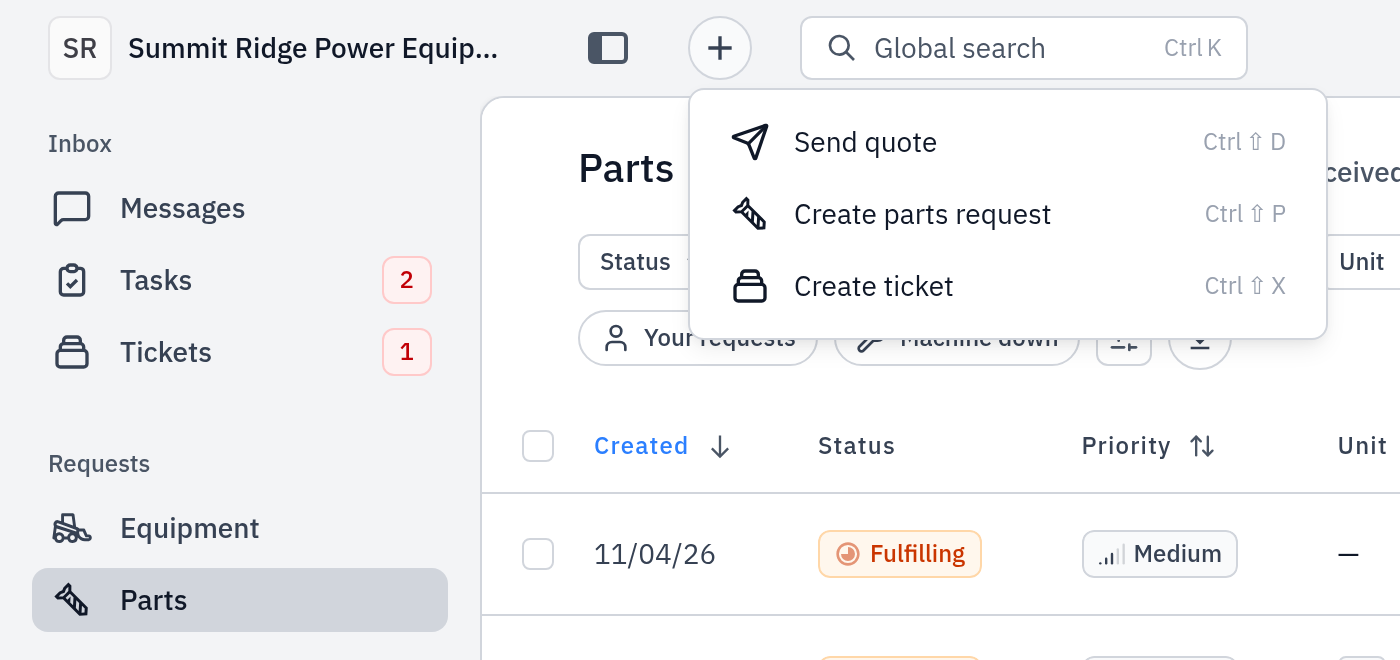
- Click + in the top bar, then Create parts request. The Create parts form opens.
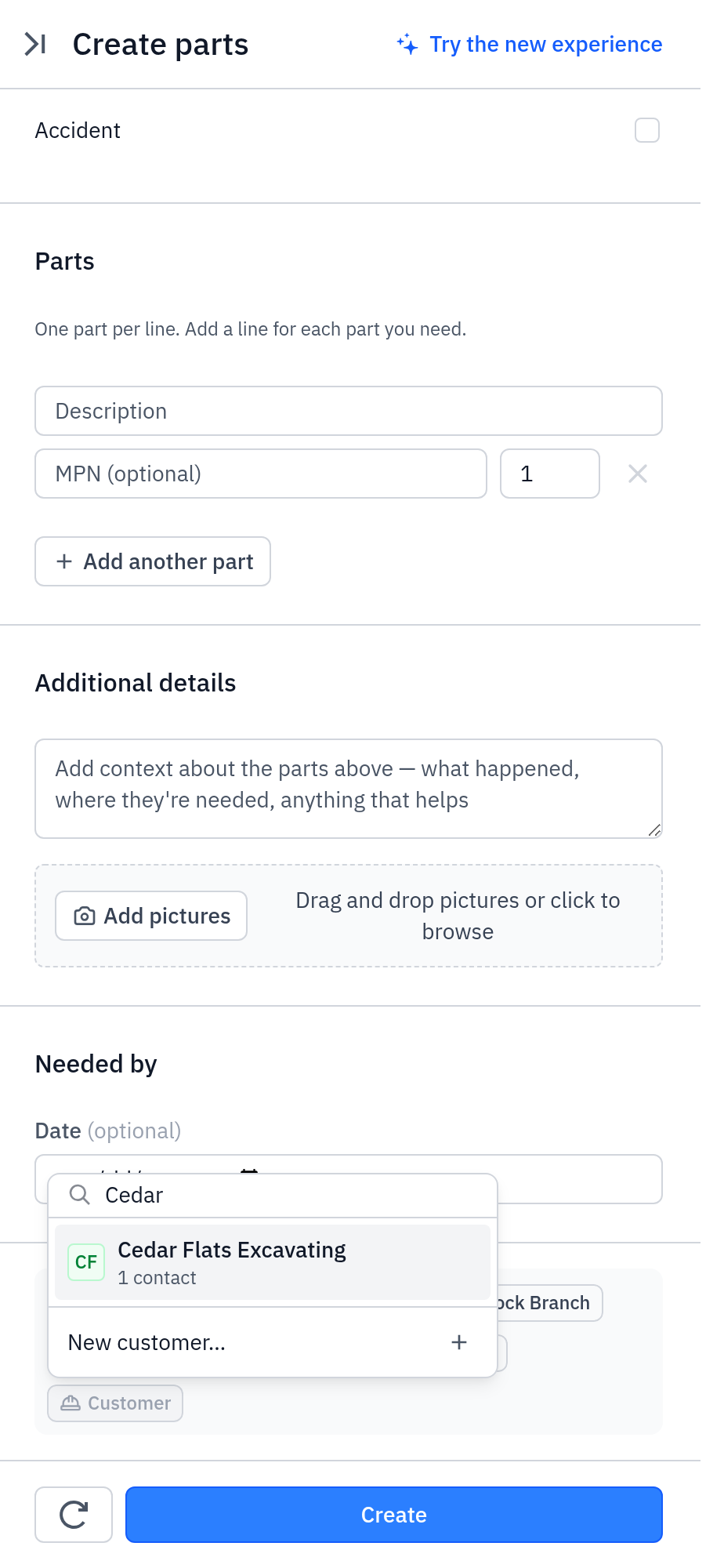
- Click the Customer chip and select the customer. If they are new, click New customer…, enter the Customer name and a contact (name, and an email or a phone), then click Add customer.
- Enter the parts the customer asked for, the unit and the location.
- Click Create. The request opens in the Inbound lane of Parts.
- Take ownership and quote it: see Work the requests inbox and Quote a request.
If the customer wants a price now and you do not need a request first, click +, then Send quote, and choose the customer.
#When the customer calls your Gearflow number
If your account has a Gearflow phone number (Settings → Intake addresses), a customer can call or text it directly. Gearflow takes the request and opens a ticket.
- A caller Gearflow knows (their phone is on one of your customer contacts) is filed under that customer.
- A new caller gets a new contact and a new customer named with their phone number, for example "(555) 010-2725". Rename the customer on Customers → Manage, or rename the contact: the customer takes the contact's new name.
#The texts a called-in customer gets
A customer who called your Gearflow number gets each message by text and email. A contact you entered yourself, with both a phone and an email, gets email only until they text or call you. To text them, set Text or Both on their name in the recipient list (see Customers and their units).
| When | The text |
|---|---|
| A call to your Gearflow number opens a ticket | "Created in your company: …" with a link to view the ticket. Messages in the next 15 minutes are added to the same ticket. |
| You send a quote | The quote message, a link to the PDF and the approval link. |
| You click Mark shipped | "Your order for … is on its way." with the carrier, the tracking number and your note. |
| You click Ready for pickup | "Your order for … is ready for pickup at location." |
| You reply in the thread | Your message. |
Your company name starts the first text in a thread. Each text ends with a short code, for example "(#47)". When the customer replies, the code puts the reply on the right request.
#Stop the texts
The customer replies STOP. Texts stop at once, and the contact shows "Texts off (customer replied STOP)". Email still goes. The customer texts START to turn texts on again. You cannot turn texts on for them.
#Common mistakes
- No customer on the request. You cannot send a quote, and the customer gets nothing. Set the Customer chip before you save.
- Logging the caller as a new customer. Search the Customer chip first. A second copy of a customer splits their history.
- A contact with no phone number, or with a phone and an email and no channel set. The customer gets email only. Add their cell phone to the contact if it is missing, then set Both on their name in the recipient list if they want texts.
- The customer texts back about a different job. They reply "new" to start a separate ticket.