Dealer team SOPs · 1 of 8
Work the requests inbox
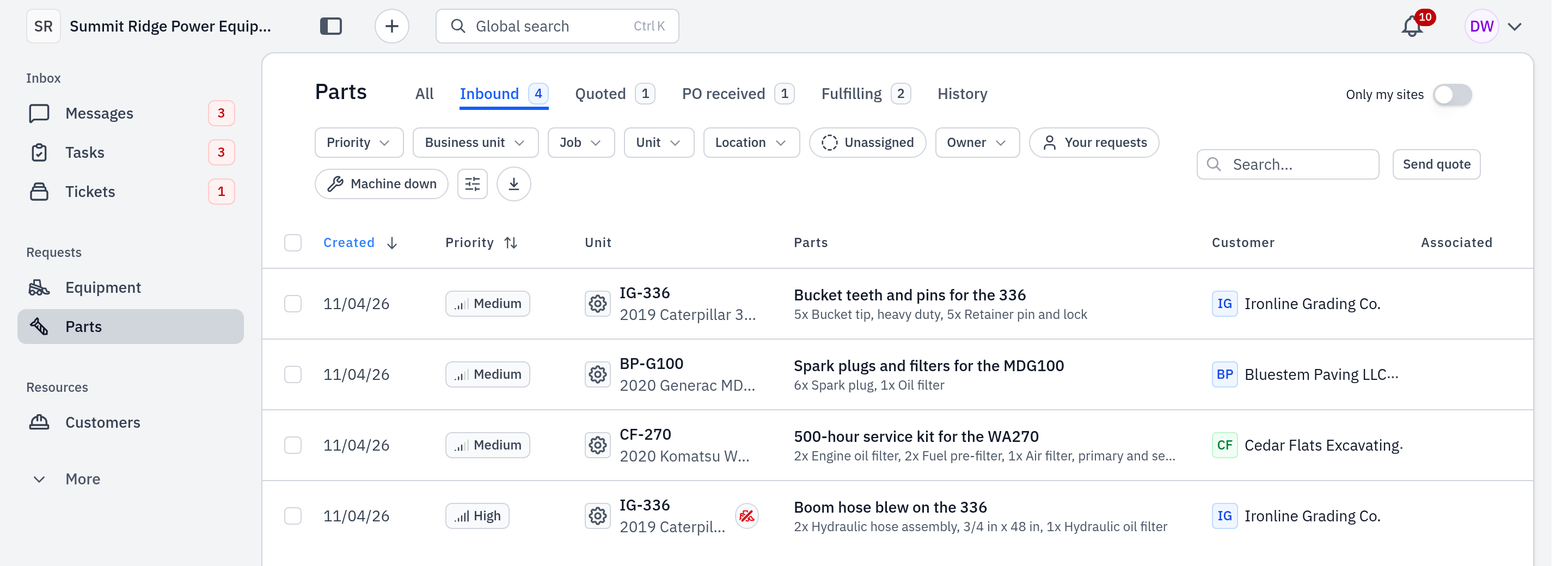
Every new parts request from a customer lands in the Inbound lane of the Parts page. Check it at the start of the day and through the day, take ownership of each request, and quote it.
Who: counter reps and inside sales reps. When: at the start of each day, and each time you get a notice of a new request.
Video: Find a request by part or customer (1:56) shows the Parts page search, Global Search and the customer page.
#Where requests come from
A request gets to the Inbound lane in one of these ways:
- The customer sends it from their own Gearflow account. A copy of their request opens in your account. You cannot change the customer on this copy.
- The customer emails, texts or fills in a form at one of your intake addresses. These open as a ticket first. Your admin sets the addresses at Settings → Intake addresses.
- A rep logs it for a customer who phoned or walked in. See Called-in requests.
#Steps
- In the sidebar, click Parts.
- Click the Inbound tab. It shows each request that has no quote yet.
- To see only the work nobody has taken, click the Unassigned filter chip.
- Sort the list. Use Priority → Urgent first to see machine-down requests first, or Created → Oldest first to work the queue in order.
- Take ownership: in the Owner column, click Assign owner, then select your name. The owner gets the customer's replies in their Mentions.
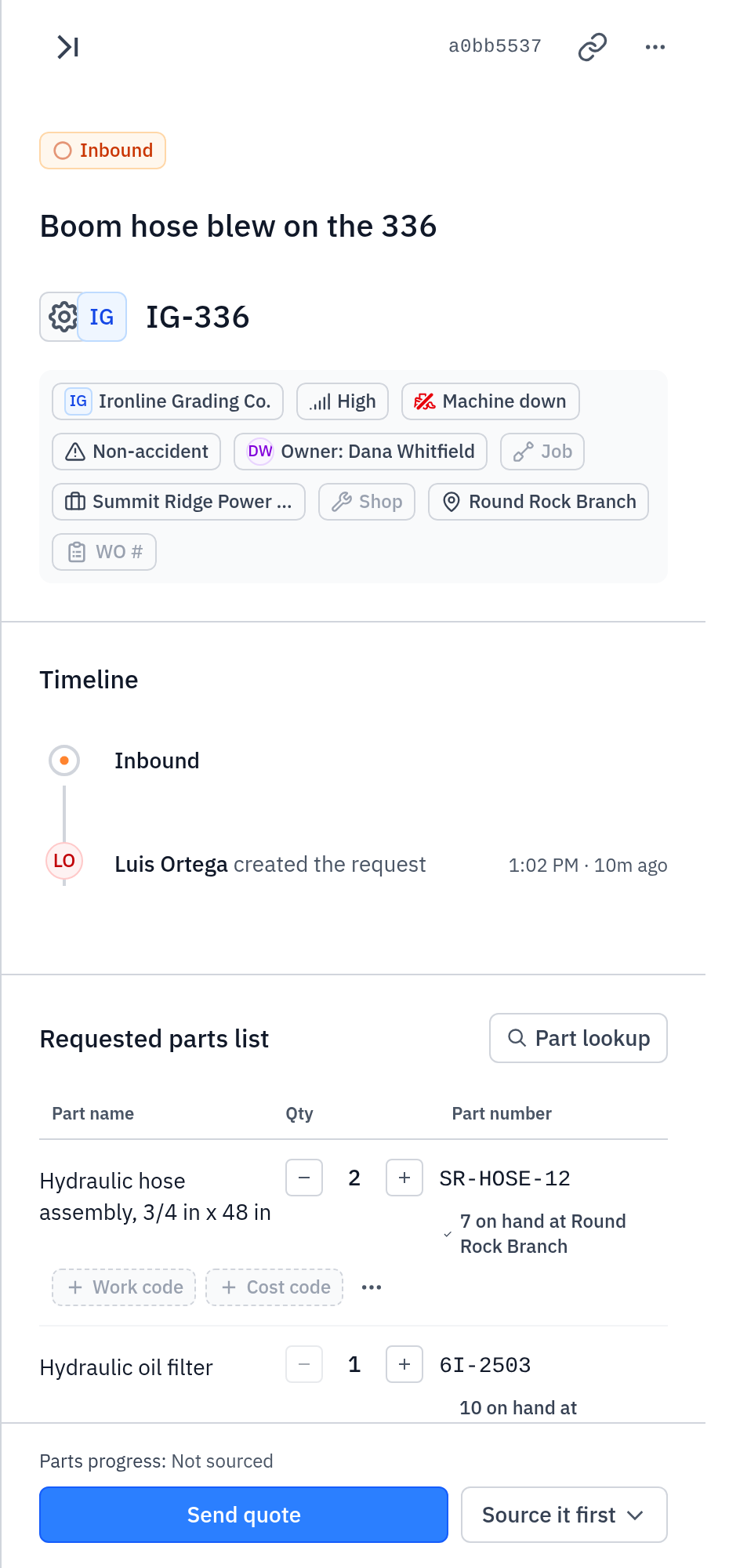
- Click the row. The request opens in a panel on the right side of the list. Read the Customer card, the parts asked for, the unit and the location.
- Click Send quote at the bottom of the panel. Then follow Quote a request.
#What you see after
- When you send the quote, the request moves from Inbound to Quoted, and its Customer card reads Quote sent.
- Until then, the card reads Waiting on your quote.
- The other tabs are Quoted, PO received, Fulfilling and History. All shows every lane together.
#If you cannot quote it
- The parts are not in your stock. Open Source it first in the panel. It has Send RFQs to vendors, Browse sourcing options and Log an order. Source the parts, then send the quote.
- The customer will not buy. On the Customer card, click Mark lost. Select why the customer did not buy, then click Mark lost. The quote is canceled and the request goes to History.
#Common mistakes
- Leaving the owner blank. A customer's reply on a request with no owner goes to nobody's Mentions. Assign an owner before you quote.
- No Send quote button. Your seat cannot source parts. The quote sheet says "A dispatcher sends quotes." Ask your account admin to change your seat.
- "Add the customer to this request before quoting it." The request has no customer. Set the customer on the request, then quote.
- Changing the customer late. You cannot change the customer after a message has gone to them.
- The list is empty but you expect work. The empty text tells you why, for example "No inbound parts requests." Clear the search and the filters.