Inbox, Team Activity, and Tasks
The Parts Hub Pro top-bar surfaces where request, order, and message activity stays visible after the fact. A missed email or SMS is not re-delivered, but the underlying activity is recoverable here.
The Parts Hub Pro (dashboard.gearflow.com) top-bar recovery surfaces — Inbox, Team Activity (the lightning icon), Tasks, and Search — and what each one lets a buyer recover after a notification is missed. Notification channels and preferences: see Notifications.
Parts Hub Pro sends notifications outbound only (email, SMS, mobile push) and keeps no notification feed — no in-app list of the notifications it sent. The surfaces below are where the underlying activity persists instead, each scoped to one kind of record.

#Terms
- top bar — the header strip on every buyer page. From left it carries a search box, three counted icon actions — Inbox (message bubble), Team Activity (lightning), Tasks (clipboard) — and an account menu (Settings, Logout). It has no notification bell.
- conversation — one message thread between the buyer and a vendor, attached to a request or an order.
- event — one recorded change to a request or an order. These are the same events that may generate a notification (see Notifications §2).
- task — one open action the account still owes, derived from current request, order, or invite state.
- recoverable — visible in-product after the fact, without the original email, SMS, or push.
#1. Inbox
Top bar → the message-bubble icon (path /inbox). The count is the buyer's unread
conversations.
What it shows. Conversations — message threads between the buyer and a vendor, attached to a request or an order. Three scopes: All, My Messages (the default), and Unread. A filter box narrows the list by order id, request id, or message content.
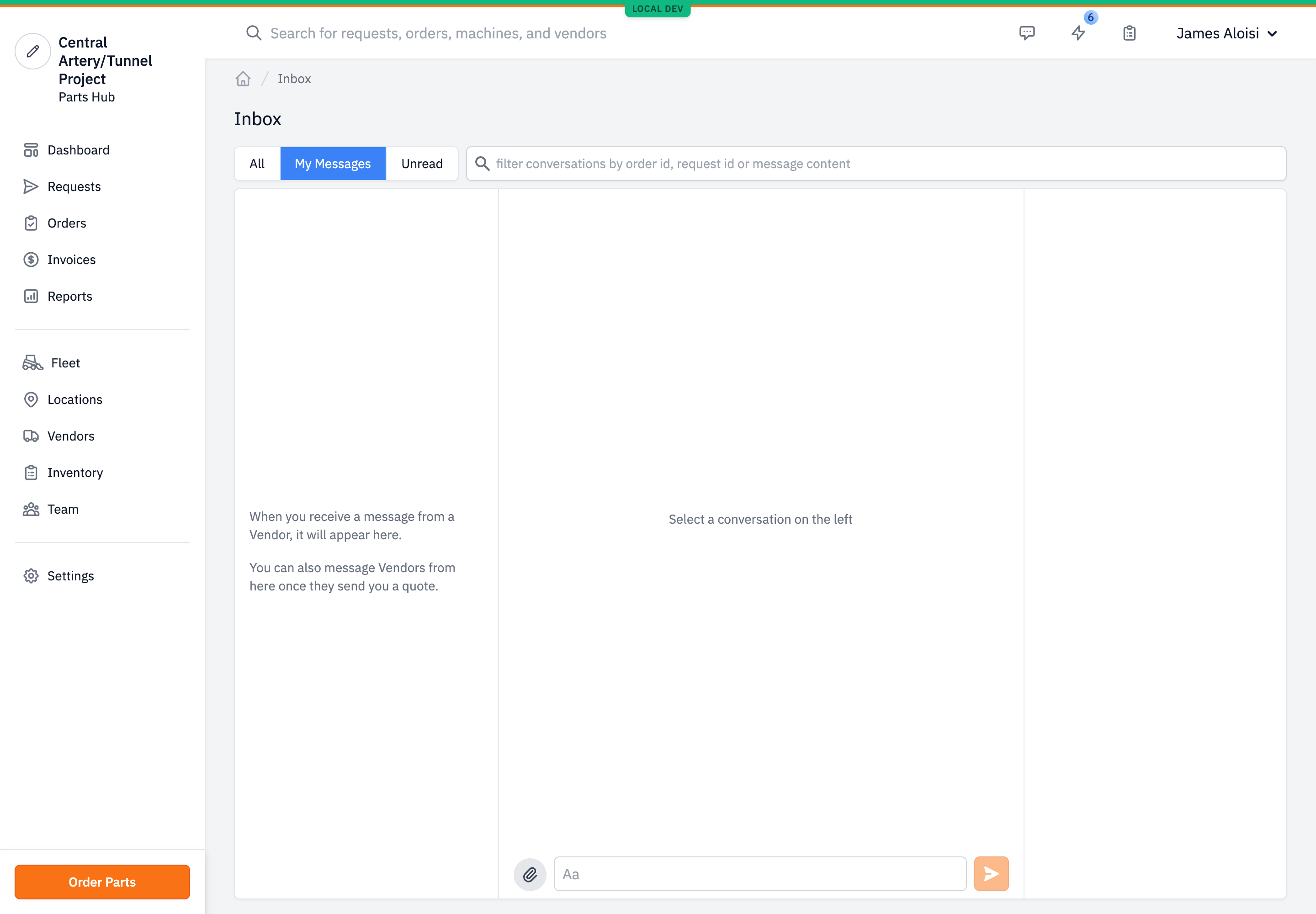
What it recovers. The New message notification. A message that arrived by email or SMS is the same message shown here; the thread does not depend on the notification.
Persistence. Durable. Conversations and their full message history are stored and stay visible indefinitely. Read state is per user: opening a conversation records a read receipt and clears its unread mark. Reading is never destructive — it updates a timestamp, it does not remove the conversation or its messages.
Limit. Inbox carries vendor message threads only. Request and order status changes are not here — those are in Team Activity (§2). It does not carry buyer-internal team chat.
#2. Team Activity
Top bar → the lightning icon opens the Team Activity panel. The count is the events recorded today.
What it shows. Request and order events — a request created, canceled, marked viewed by the vendor, or with a vendor declining to participate; an order created, its quote approved, edited, canceled, shipped, ready for pickup, refunded, charged, a problem reported, or delivered. The panel is account-wide — it is labeled "Team Activity" and shows every member's events — and time-boxed to today. (A request being assigned and a quote created are recorded private and do not appear here — see §5.)
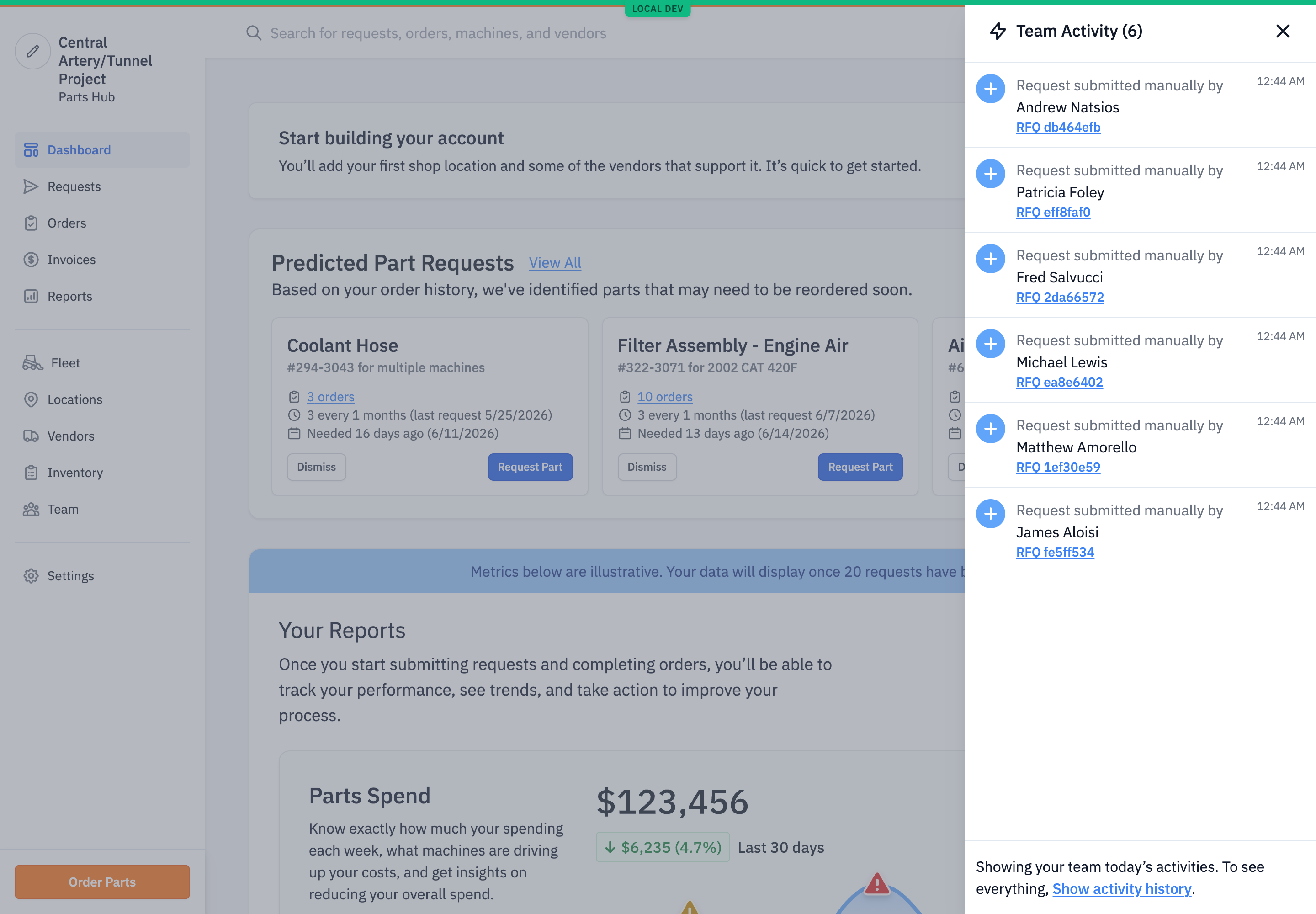
Full history. The panel's Show activity history link opens the full log (path
/notifications), titled on screen Notifications with the subtitle "These are all the
events across your Account." It is the same request and order events with no date
limit, paginated and filterable. This is the durable surface; the panel is the today-only
view of it.
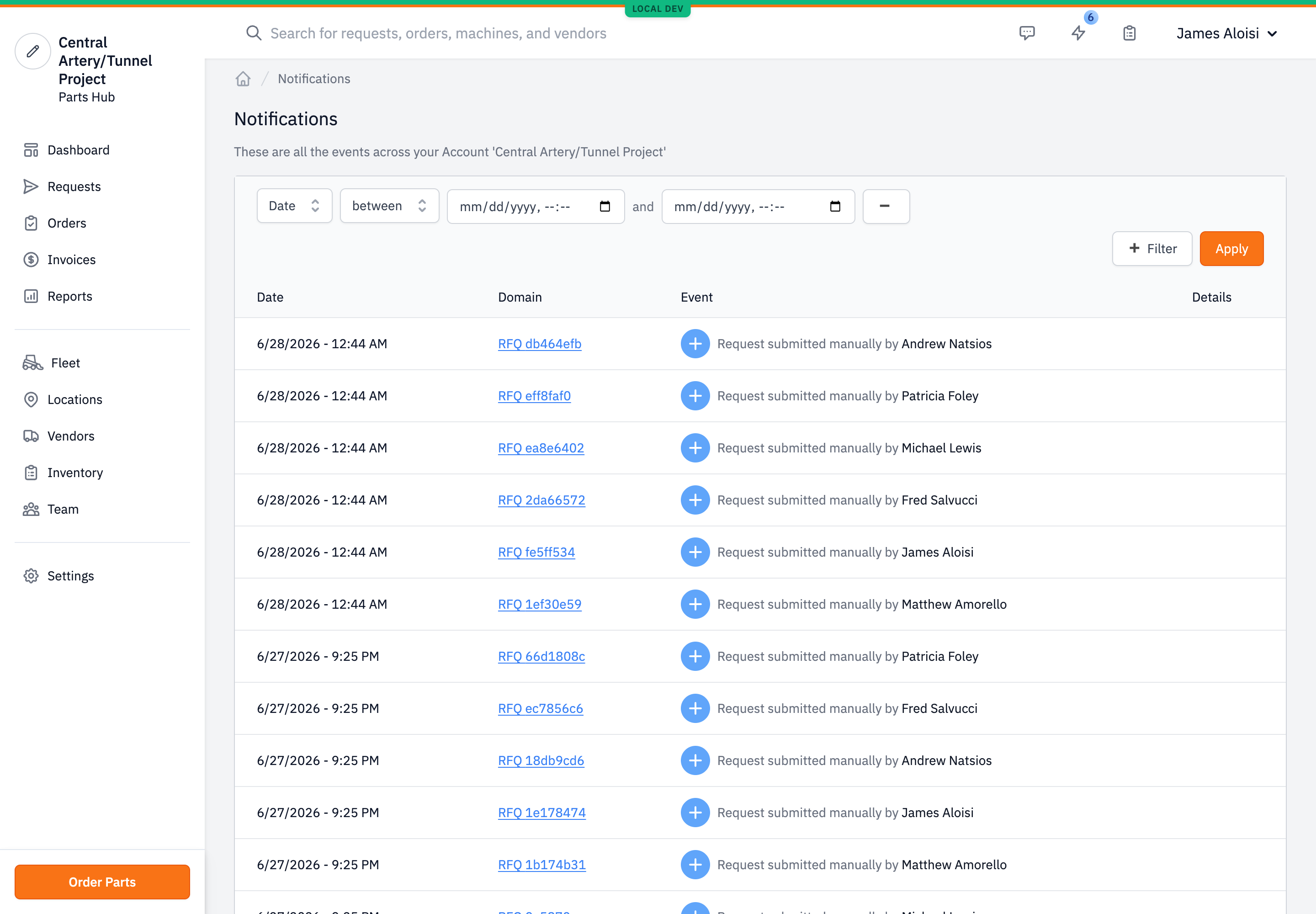
What it recovers. The request-update and order-update notifications (Notifications §2, Table 1) — every row except five. Three have no event of their own: New message (in Inbox, §1), the Accounts-payable invoice copy, and Order processing. Two are recorded private and so are filtered out: Request assigned and Order quote created (see §5).
Persistence. Durable. Events are stored permanently and the log is read-only: no mark-as-read, no dismissal, nothing removed.
Limit. It carries recorded request and order events only — the request- and order-event tables, with no filtering by event type. An activity that records no event does not appear. Privacy gates each event: the buyer feed shows public and buyer-/request-protected events and hides supplier-scoped and private ones, so an event created private to the supplier won't show. The panel shows today; anything older needs the full log.
#3. Tasks
Top bar → the clipboard icon opens the Your Tasks panel. The count is the account's open tasks.
What it shows. Open actions, computed live from current record state — not a stored to-do list. Five kinds:
Table 1. Task types.
| Task | Raised when | Links to |
|---|---|---|
| Request needs approval | A request is inbound, awaiting sign-off | Requests |
| Quote needs approval | A request is quoted, awaiting approval | Requests |
| Check status | An order's quote was approved more than two days ago and it is still in received or processing | Orders |
| Mark received | An order is shipped or ready for pickup (or a direct-payment order in received) | Orders |
| Join requests | A pending user invite awaits the account owner | Settings → Users |
Request needs approval appears only for users with Purchaser or Admin permission; Join requests only for the account owner. The rest are computed for the account.
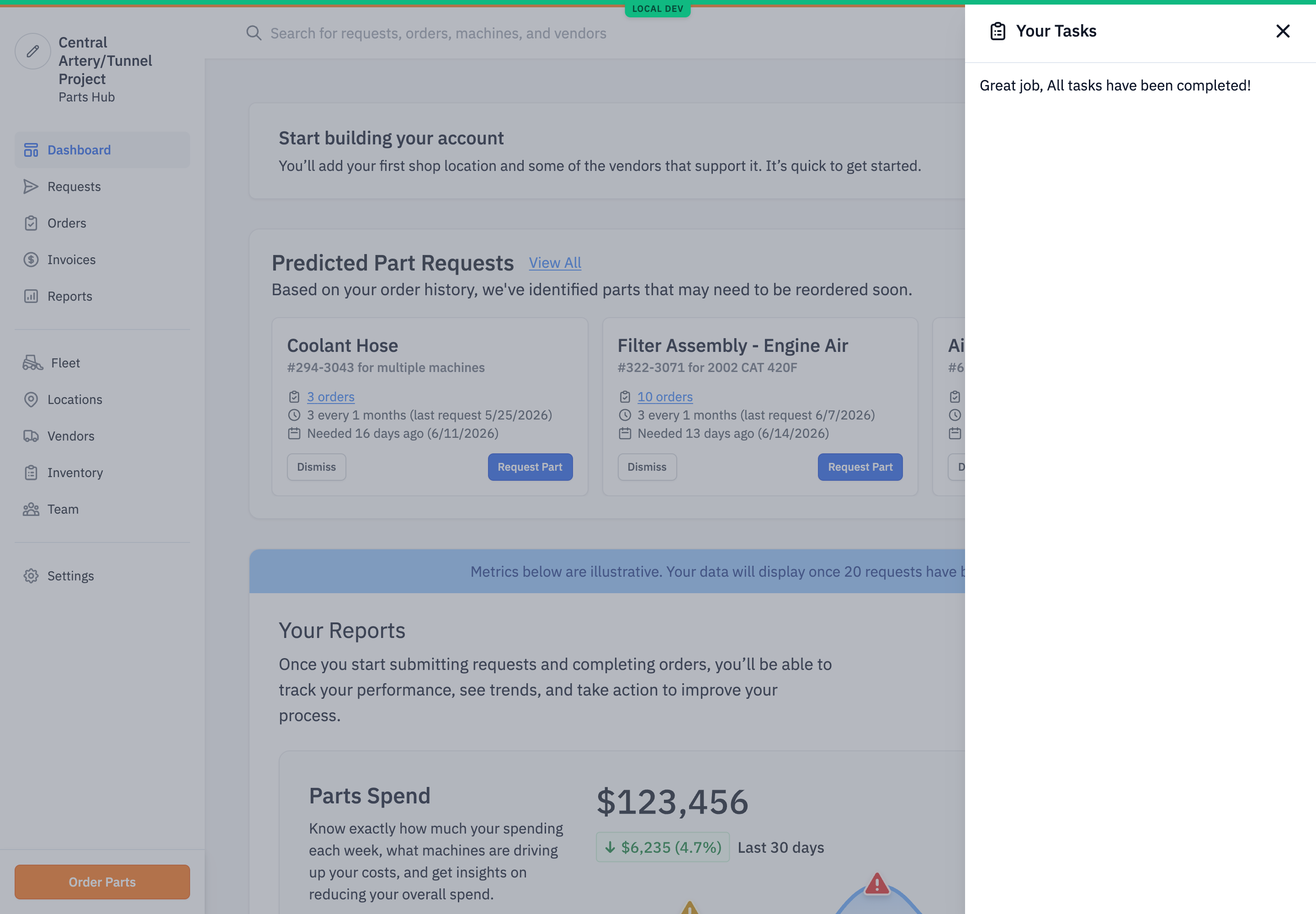
What it recovers. The approval and action notifications — an over-threshold approval request, an order ready to receive. Tasks is the one surface that re-presents an action after its alert is gone: the task stays until the action is done.
Persistence. Tasks are not stored. Each is recomputed from live records (briefly cached). A task clears when its condition clears — approve the request, mark the order received, answer the invite — not by a dismiss control; there is none.
Limit. Only the five conditions above raise a task. An event that needs no action — a status update, a new message — never becomes one.
#4. Search
Top bar → the search box. One lookup across the account's records. The prompt reads "Search for requests, orders, machines, and vendors"; results also include shipping locations. Type a part name, PO number, vendor, machine, or location and open the matching record.
What it recovers. Any request or order the buyer can name — the fastest path back to a specific record after a missed notification. It is a lookup, not a feed: it helps only if the buyer knows what to search for.
Limit. Search does not cover message threads (those are Inbox, §1) or the event log (§2). It reads live records and stores nothing of its own.
#5. Recovery map
Table 2 maps each notification activity (Notifications §2, Table 1) to where the underlying activity is recoverable in-product. Verified against the request- and order-event type tables (each notification activity matched to an event type, or marked where none exists); the feed applies no type filter, so every event type renders, subject to the privacy gating in §2. Search (§4) is an additional path to any named request or order, complementary to Team Activity.
Table 2. Notification activity → recovery surface.
| Notification activity | Recoverable in |
|---|---|
| New message | Inbox (no event — it is a message, not a request/order event) |
| Request created / canceled / viewed by vendor / vendor can't participate | Team Activity |
| Order created / edited / canceled / shipped / ready for pickup / additional charge / refund / parts-received problem / delivered | Team Activity |
| Request assigned · Order quote created | Not in Team Activity — both events are recorded private and filtered out of the buyer feed. Recover the request or order via Search (§4) or the Requests / Orders lists |
| Order processing | Team Activity, but shown as the quote-approved event — there is no dedicated processing event; the order entering processing is recorded as quote approval |
| Order quote above threshold (approval request) | Tasks until acted on; the order also appears in Team Activity as the quote-approval event |
| Receive invoice copy | no event of its own — the invoice lives on the order (see §6); pay-direct invoice events do appear, but the standard invoice-copy notification does not |
#6. Limitations
- No notification log. There is no per-user record of which notifications were sent, on which channel, or whether they were delivered. The dispatch system stores nothing (see Notifications). These surfaces recover the underlying event, not the sent message — so "did the buyer get the SMS" is not answerable in-product.
- No notification bell or feed, and no single place to look. The top bar has no notification center. Recovery is spread across four surfaces, each scoped differently: Inbox for vendor messages, Team Activity for request and order events, Tasks for open actions, and Search for a named record. Recovering a missed item means knowing which one to open.
- Team Activity is account-wide, time-paneled, and privacy-gated. The panel shows today; older events need the full log. It shows public and buyer-/request-protected events only — supplier-scoped and private events are hidden. Request assigned and Order quote created are recorded private and so never appear, even though both have an event. Separately, three activities have no event at all and never appear: New message, the invoice copy, and Order processing.
- The invoice-copy notification has no event. The Accounts-payable invoice copy does not appear in Team Activity; recover the invoice from the order itself.
- Tasks covers five conditions only. Most activity never becomes a task.