Notifications
How Parts Hub Pro notifies buyers of request and order events. Three channels — email, SMS, and mobile push. No notification feed; a missed email or SMS is not re-delivered, but the underlying activity is recoverable in-product.
Notification behavior of Parts Hub Pro (dashboard.gearflow.com), as experienced by buyers. Routing setup steps: see Request notifications. Where a missed notification's activity is recoverable in-product: see Inbox, Team Activity, and Tasks.
#Terms
- notification — one item informing one user of one event.
- event — a recorded change that may generate a notification (§2).
- channel — a means of delivery. Parts Hub Pro has three: email, SMS, and mobile push. There is no notification feed (no in-app list of sent notifications).
- recipient — a user to whom a notification is delivered.
- request — a request for quote (an RFQ).
- order — a committed purchase.
- quote — a vendor's priced response to a request.
- approval request — a request whose order requires approval before it commits (§5).
- shipping location — a delivery address on the account. A request is filed against one.
- location group — a named set of shipping locations, used to route approval requests.
- subscriber — a user attached to a shipping location, or set to receive all activity.
- preference — a user's per-activity choice of channels (§4).
- scope — a user's per-activity choice of My requests or All requests (§4).
- admin, purchaser, requester — account roles (§5).
#1. Channels
Parts Hub Pro delivers on three channels: email, SMS, and mobile push. It has no notification feed — no in-app list of the notifications it sent. A missed email, SMS, or push is not re-delivered, but the underlying activity is usually recoverable in-product: messages in Inbox, request and order events in Activities, open approvals and actions in Tasks. See Inbox, Team Activity, and Tasks.
Email is the primary channel and is offered for every activity except one (§2). SMS is offered for three activities only (§2). Mobile push is delivered through the app; it is on by default and is not configurable in the web settings.
#2. Events
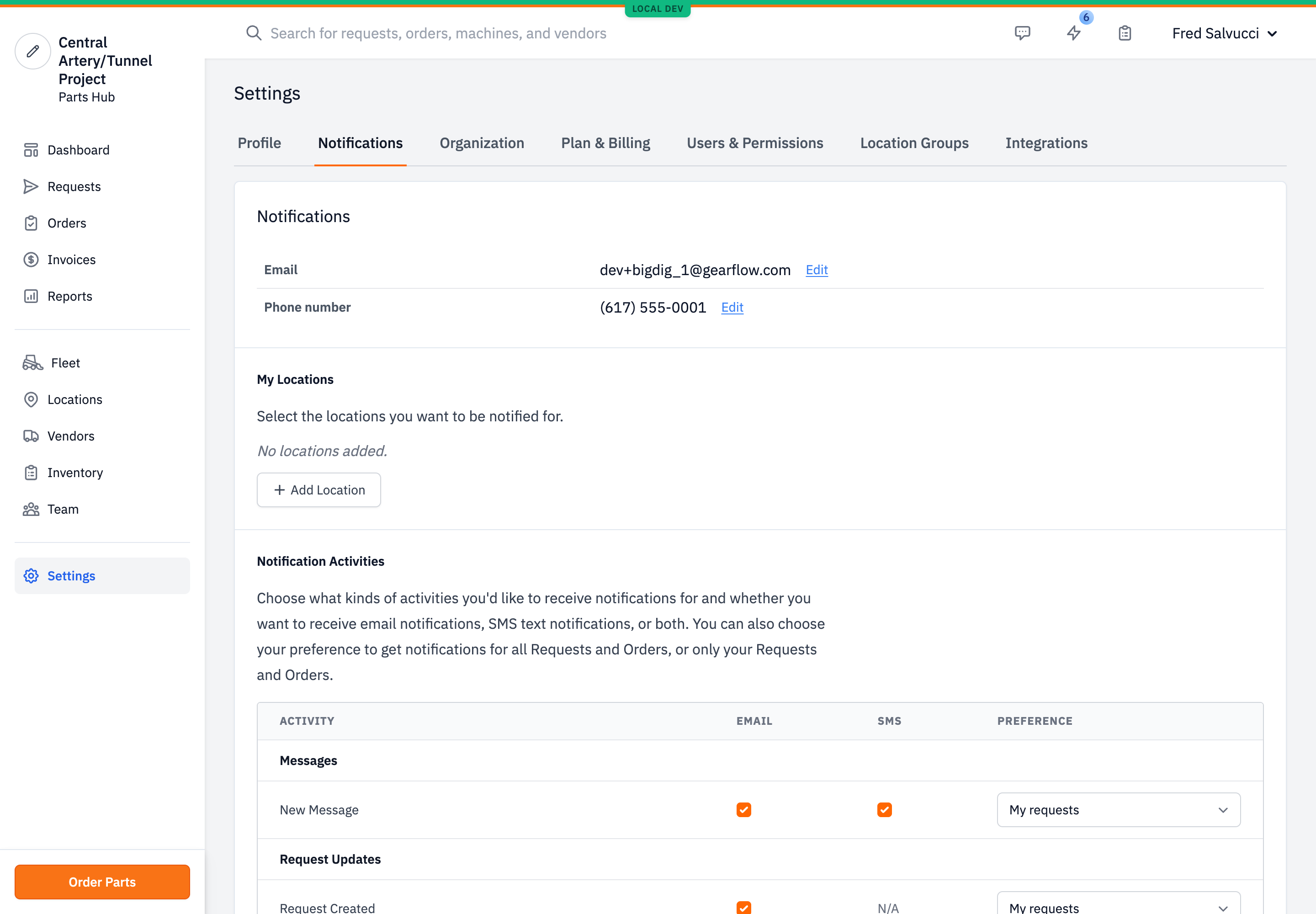
Table 1 lists every buyer activity and the channels offered for it. A user enables or disables each offered channel per activity (§4); all offered channels are on by default.
Table 1. Activities and channels.
| Activity | SMS | |
|---|---|---|
| Messages | ||
| New message | yes | yes |
| Request updates | ||
| Request created | yes | — |
| Request viewed by vendor | — | yes |
| Request canceled | yes | — |
| Request assigned | yes | — |
| Vendor can't participate | yes | — |
| Order updates | ||
| Order created confirmation | yes | — |
| Order quote created | yes | yes |
| Order quote above threshold | yes | — |
| Order edited | yes | — |
| Order canceled | yes | — |
| Order processing | yes | — |
| Order shipped | yes | — |
| Order is ready | yes | — |
| Order additional charge created | yes | — |
| Order refund created | yes | — |
| Parts received accuracy problem | yes | — |
| Shipment delivered | yes | — |
| Accounts payable | ||
| Receive invoice copy | yes | — |
Three activities offer SMS: New message, Request viewed by vendor, Order quote created. Request viewed by vendor offers SMS only; it has no email. Order quote above threshold appears only to admins, and only when the account has an approval threshold set (§5). Mobile push is omitted from Table 1: it is on by default for all activities and is not set in the web settings.
#3. Recipients
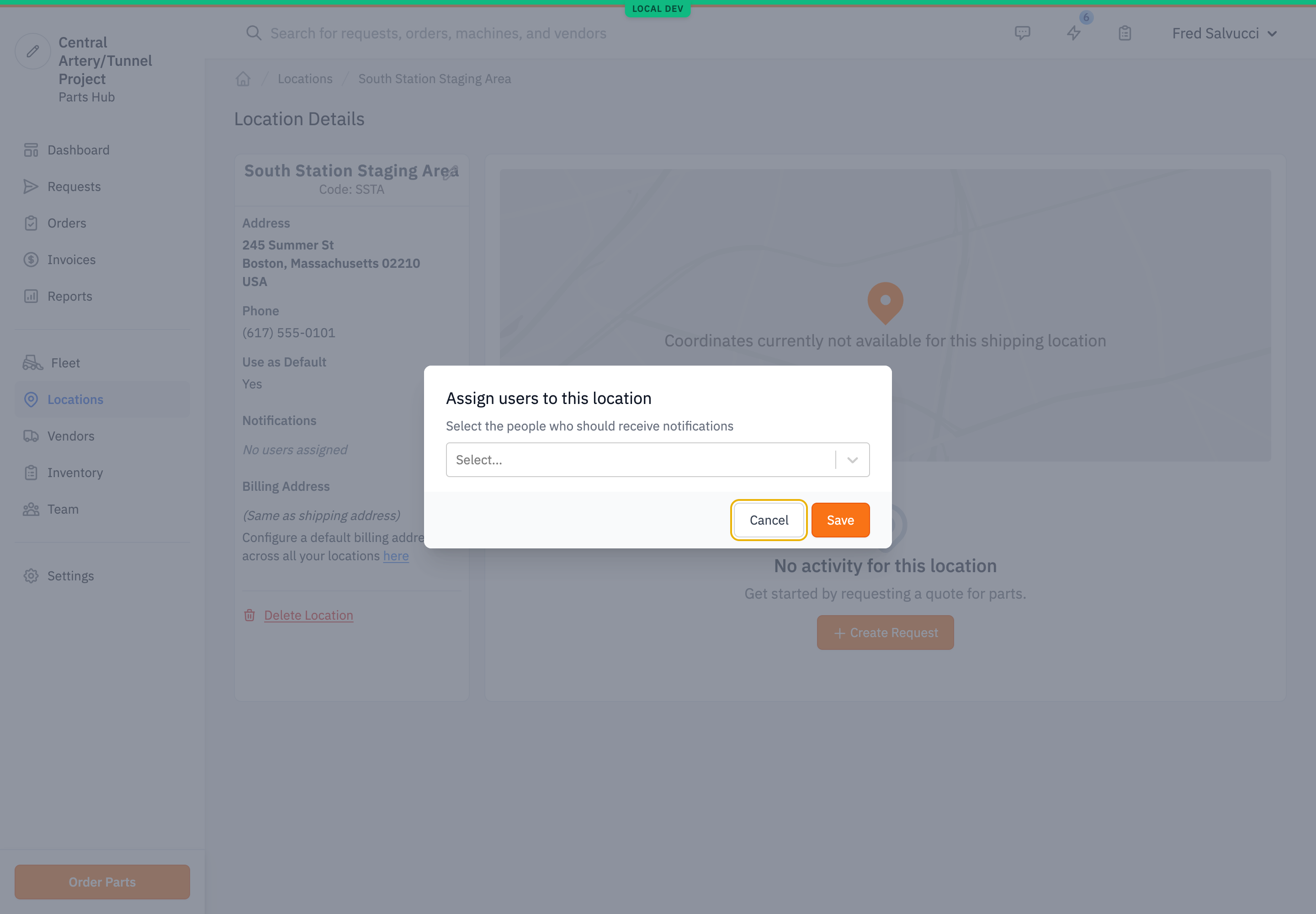
For each event, the recipient set is the union of:
- Subscribers to the specific record. For a request, the purchasers attached to the request's shipping location. For an order, the order's user.
- All-activity subscribers. Users whose scope for that activity is All requests (§4).
Deactivated users and the user who triggered the event are excluded.
Approval requests route separately. An approval request notifies the admins and purchasers attached to its shipping location, or subscribed to a location group that covers that location. Setup steps: see Request notifications.
#4. Preferences
Each user sets, per activity, which offered channels deliver: email, SMS, or both. The default is every offered channel on.
Each user sets one scope per activity: My requests (only records the user is attached to) or All requests (every record of that activity in the account). The default is My requests.
#5. Roles
Three roles: admin, purchaser, requester. A requester files requests. A purchaser or admin approves and commits orders. An account-level approval threshold sends a requester's over-threshold order to admins and purchasers as an approval request (§3) before it commits.
#6. Limitations
- Parts Hub Pro has no notification feed — no in-app log of which notifications were sent or whether they were delivered, and no re-delivery of a missed email, SMS, or push. The underlying activity is usually recoverable through Inbox, Team Activity, and Tasks; the genuine gaps are the dispatch record itself and the Accounts-payable invoice copy, which has no in-product event.
- SMS is offered for three activities only (§2); it is not offered for order-status events.
- A user with no email address receives no email notifications.
- Request routing depends on purchasers being attached to shipping locations. A shipping location with no attached purchaser reaches no purchaser by the location path; an approval request then routes by location group or to admins.